
AI Overview Citations Keep Changing: What It Means for Your Clicks
AI Overview Citations Keep Changing: What It Means for Your Clicks For a long time, Google search was easy to…

Using AI tools to write better content for your website is one of the most practical ways to improve your marketing output right now — but only if you use them correctly. Most businesses either avoid AI tools entirely because they seem complicated, or they rely on them too heavily and end up publishing content that sounds robotic, ranks poorly, and does nothing for their audience.
The truth sits somewhere in the middle. AI tools are genuinely useful for speeding up the content process — but the businesses getting real results are the ones using them as a support system, not a replacement for actual thinking.
Table of Contents
Before getting into how to use these tools well, it is worth understanding why so much AI content falls flat.
When you ask an AI tool to write a blog post and publish whatever comes out without editing, you are essentially publishing an average of everything that already exists on that topic. It will be grammatically correct, logically structured, and completely forgettable. It will not have a point of view. It will not reflect your brand. And increasingly, both readers and search engines are getting better at spotting it.
Google has not banned AI content outright — but it has made clear that helpful, original, experience-backed content is what it rewards. That standard does not change just because a tool wrote the first draft.
The key is treating AI as a writing assistant, not a writer. Here is how that looks in practice.
Start with your own brief. Before opening any AI tool, write down the topic, the target audience, the primary keyword, and two or three points you actually want to make. This takes ten minutes and completely changes the quality of what the AI produces. Vague prompts produce vague content. Specific prompts produce something worth editing.
Use AI for the structure first. Ask the tool to generate an outline — headings, subheadings, and a rough flow. This is where AI genuinely saves time. You can see the shape of the article quickly and move sections around before any actual writing happens.
Write or heavily rewrite the key sections yourself. The introduction, the conclusion, and any section where your expertise or opinion matters should sound like you. These are the parts readers remember and the parts that build trust. A good rule of thumb — if a section contains a claim, an insight, or a recommendation, it should come from your own knowledge, not from an AI prompt.
Use AI to fill in the middle. Explanatory paragraphs, definitions, and background context are where AI tools work best. They handle the informational parts well. Let them do that work while you focus your energy on the parts that require genuine perspective.
Edit everything before it goes live. Read the full draft out loud. Cut anything that sounds like a press release. Add contractions, short sentences, and the occasional aside that a real person would include. If it reads perfectly but sounds like no one in particular wrote it — rewrite it.
A few tools are worth knowing about if you are building a content workflow around AI.
ChatGPT is the most widely used and works well for drafting, brainstorming, and rephrasing. Claude handles longer documents well and tends to produce cleaner prose with less editing needed. Jasper is built specifically for marketing content and has templates designed around SEO and conversion goals.
For SEO-focused content, Surfer SEO and Clearscope both use AI to analyse top-ranking pages and tell you what topics, keywords, and structure your content needs to compete. These are particularly useful if you are writing pillar pages or cluster blogs and want to be thorough without spending days on research.
None of these tools work in isolation. The best content workflows combine AI speed with human judgment — and that combination is what produces content that actually ranks and actually gets read.
Not if you want content that builds trust, reflects your brand, and stands out in search. AI tools reduce the time and effort involved in writing — they do not replace the expertise and voice that make content worth reading.
Google’s position is that it rewards helpful, original content regardless of how it was produced. The risk is not using AI — the risk is publishing unedited, low-quality output that does not serve the reader.
Edit it like you would edit any draft. Add your own opinions, use contractions, vary sentence length, and cut anything that sounds overly formal or generic. Reading it out loud is one of the fastest ways to spot where it still sounds robotic.
There is no single answer — it depends on your workflow. ChatGPT or Claude for drafting, Surfer SEO or Clearscope for optimisation guidance, and your own editing pass to bring it all together is a solid starting point.
Learning how to use AI tools to write better content for your website is less about mastering the technology and more about knowing where your input matters most. The businesses producing great content with AI are not the ones prompting the hardest — they are the ones editing the most carefully.
Use AI to move faster. Use your own knowledge and voice to make the content worth reading. That combination — speed plus substance — is what separates content that ranks and converts from content that just exists.
At Turnihi, we help businesses build content strategies that are optimised for search, structured for AI systems, and written in a way that actually connects with real people. If your website content is not doing enough for your business right now, that is exactly the kind of problem we enjoy solving.
Share Post:

Related Post

AI Overview Citations Keep Changing: What It Means for Your Clicks For a long time, Google search was easy to…

Website Design for AI Mode: What Changes After Gemini 4 Argon Website design for AI Mode is the practice of…

PHP Hacked: What Your Business Website Needs to Do Right Now PHP hacked means someone has broken into your website…

Google Business Profile Impressions Are Falling: Why Google Business Profile impressions are falling because AI Overviews and zero-click results now…

Google Display Ads Are Moving to Demand Gen – What to Do Google Display Ads are moving into Demand Gen,…

ChatGPT Visual Ads Are Coming. What Brands Should Know Ask ChatGPT to create an image, and you may soon see…

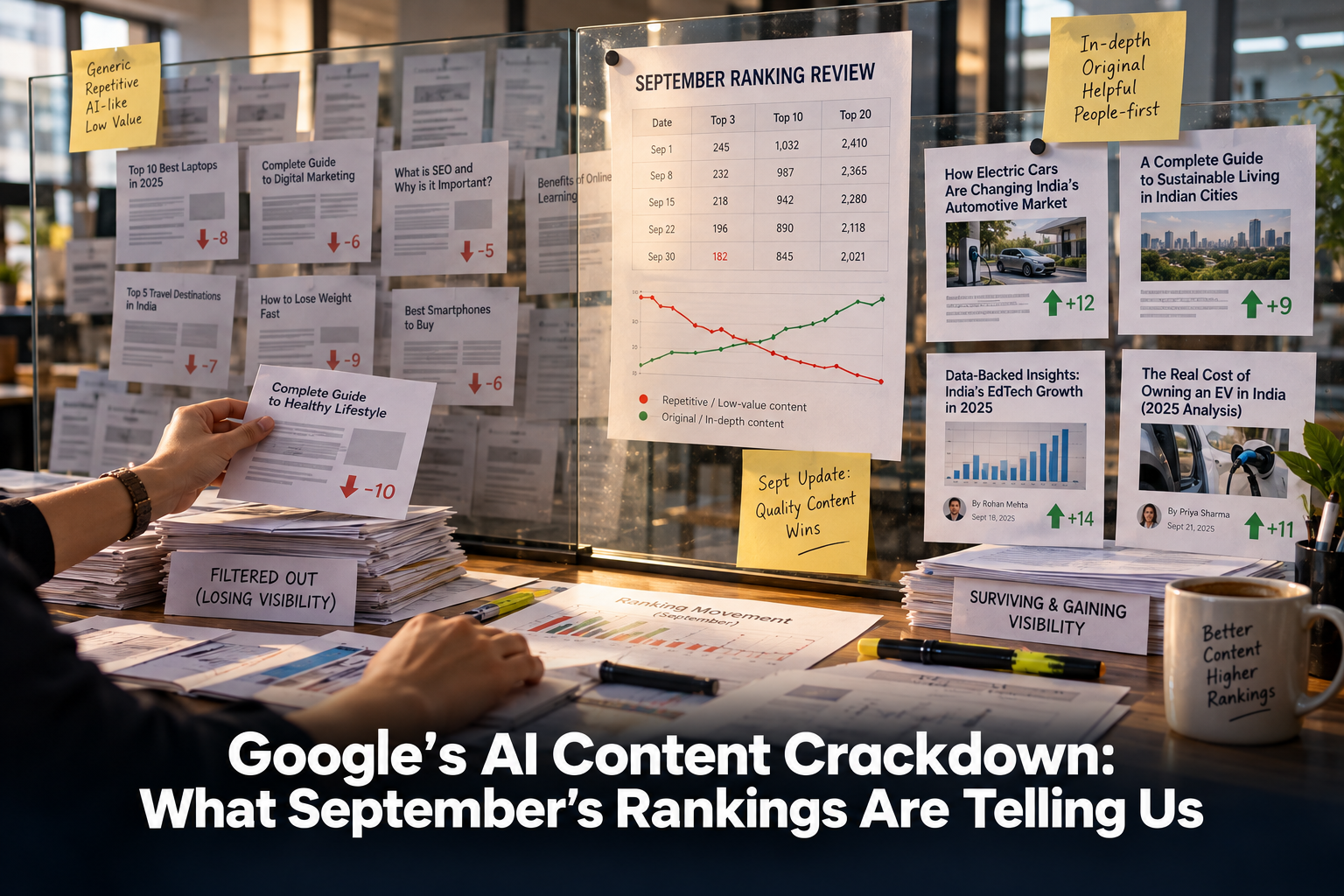
Google’s AI Content Crackdown: What September’s Rankings Are Telling Us Google’s AI content crackdown became one of the most talked-about…

Google Is Moving Your Ads to AI Max — Here’s What to Do AI Max is Google’s newest bid to…

Gemini 3.7 Flash Is Upgrading Google AI Mode — What to Do Gemini 3.7 Flash arrived inside Google AI Mode…

Used vs Cited in AI Search — What Your Brand Needs to Know AI search has quietly split brand visibility…

Category Framing: Why AI Recommends Some Brands Over Others Category framing is quietly deciding which brands show up when someone…